Freight Billing Software: What Carriers Actually Need
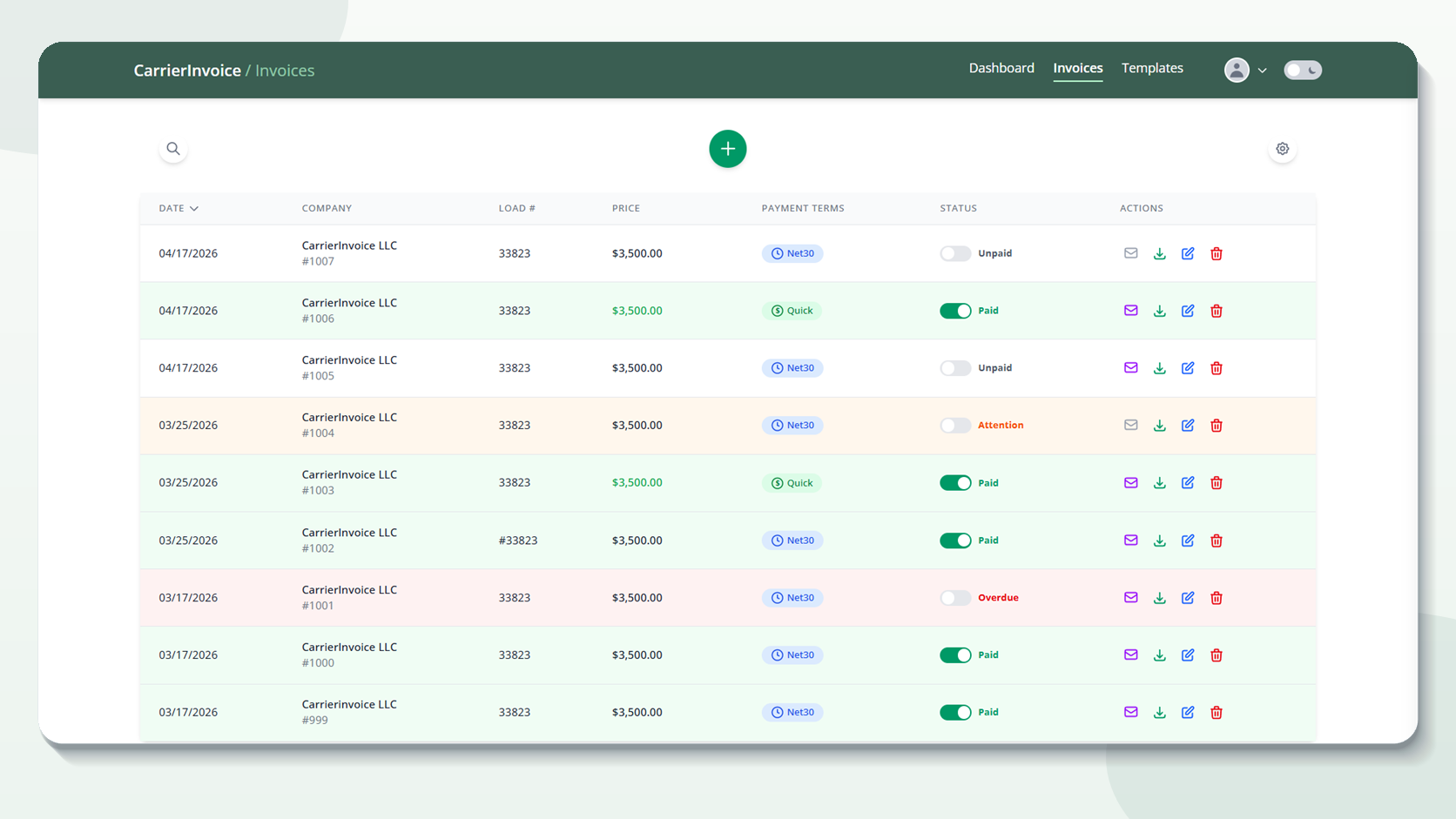
Search “freight billing software” and you’ll get 50 possibilities — almost all created for brokers and 3PLs, not the carrier on the other end of the load. Carriers pay for dispatch modules, load boards, and accounting tools they will never use merely to achieve a basic invoicing function. The freight billing software a carrier needs accomplishes three things actually. It gathers data from rate confirmations, fills your own invoice template and creates a complete billing package with the Bill of Lading (BOL) attached. This post explains what features matter to carriers especially, what’s overkill, and how to evaluate your options without overpaying.
What Is Freight Billing Software?
Freight billing software automates the generation and handling of bills for freight shipments that have been completed – converting load papers into billing-ready invoices without manual data entry.
I tried three different “freight billing” systems until I understood they were all built for the broker side — managing payables, not creating receivables. The broker receives bills from dozens of carriers and needs software to process, validate and pay those invoices. The carrier invoices and mails out the invoices. Completely distinct workflows, but the same marketing phrase applies to both.
When you notice “freight billing software,” ask one question: is this for the sender or receiver of invoices? Carriers send. Brokers receive. If the software is built for brokers, the homepage will mention “AP automation” or “payment processing”. If it mentions “invoice creation” or “document extraction” it could be just the thing for you.
The market is skewed since brokers process hundreds of invoices each day and manage payments to dozens of carriers – that’s a bigger market with a stronger willingness to pay for software. Carriers have few invoices but require each to be fast and precise. It’s a genuine gap in the market.
What Carriers Look for in Invoice Software?
Data extraction from rate confirmations. Custom template support. BOL attachment and merging. Batch processing (multi-load billing). All the rest is secondary.
The biggest time saver for me was not AI extraction but being able to utilize my own template. My format is known to brokers. The change in formats led to confusion and actually slowed down the payments because the broker’s AP department did not recognize the new format. Must-have features (ranked by impact):
| Feature | What It Does | Why It Matters |
|---|---|---|
| Rate con extraction | Pulls shipper, consignee, dates, load #, rates from uploaded rate cons | Eliminates manual data entry — the slowest, most error-prone step |
| Custom template support | Uses your own invoice PDF layout, not the software’s generic template | Brokers recognize your format, AP processes it faster |
| BOL merge | Combines invoice + BOL + rate con into one PDF | Single-file submissions get processed faster |
| Batch processing | Process multiple rate cons at once | Essential for 10+ loads/week |
Nice to have features:
- Mobile access — charge your phone at the dock and not when you get home
- Cloud storage — save finished invoices and access them on any device
- Payment tracking — mark bills as sent/paid (again, a spreadsheet does this as well)
- Accounting export — export invoice data to QuickBooks or similar
Features that are too much for most carriers:
- Dispatch and load management
- GPS integration and fleet tracking
- IFTA reporting and compliance
- computation of driver settlement
- Integration with fuel cards
These are TMS capabilities, not billing related capabilities. If they are needed, get a TMS. Use an invoicing tool to speed up the invoicing process. Don’t pay $150/month for a platform when your problem can be solved for $25/month.
How Do You Know If A Tool Is Carrier Built?
Carrier Focused Billing Tool begins with the documentation you already use: rate confirmations, signed BOLs, accessorial receipts, and your invoice template.
Check the language of the product. If the key promise is “audit carrier invoices”,” automate accounts payable” or “manage vendor payments”, the tool is developed for brokers and shippers. That doesn’t make it terrible software, but it does mean the workflow begins after you deliver the invoice.
Carrier-side billing software should answer several questions:
- Can I attach a rating confirmation instead of typing every field?
- Can I use my current invoice layout?
- Can I attach the signed BOL before I ship the package?
- Can you make several invoices after a week’s worth of loads without having to start from scratch each time?
- Can I use it from a phone away from my desk?
A real load is the greatest test. Provide one recent rate confirmation and one signed BOL. Create the invoice that you would actually send to the broker. If it takes longer to set up than to do it the old way or if the output forces an invoice format your brokers don’t recognize, the tool is probably solving the incorrect problem.
Why is most billing software written for brokers?
Brokers generate hundreds of invoices a day, and they pay dozens of carriers—that’s a bigger market, with a greater propensity to spend for software.
As a carrier I am making invoices. As a broker, you’re getting them and you’re reconciling them. The broker manages AP automation, rate auditing, short-pay management and payment batching across a carrier base. That’s complicated enough for $200-500+/month software. The market isn’t serving carriers that are only doing 50-100 invoices a month that doesn’t justify that price range.
The consequence is a landscape that:
- Broker side tools are established, well-funded, feature rich (Truckstop, DAT, TriumphPay)
- Carrier-side tools are either (a) generic accounting software that doesn’t know trucking, or (b) comprehensive TMS systems that have invoicing as one module of many
- Dedicated carrier invoicing tools are still rare and new to the industry
This is changing slowly as more companies realize that there is a serious software gap for owner-operators and small fleets (the bulk of carriers in the US). The best carrier billing tool doesn’t pretend to be a TMS or an accounting suite; it merely makes invoice creation quick and precise.
How Much Does Freight Billing Software Cost?
If you’re an owner-operator or have a small fleet, you should expect to pay $20-50/month for standalone invoice automation. A full TMS with billing costs $50-200+/month. Per-invoice pricing (common with some technologies) can get expensive quickly at scale.
I figured that at 80 loads a month, a per invoice pricing model at $1/invoice was costing more than a flat monthly membership. Fixed price means predictable budgeting. What you pay is what you pay, no matter how many loads you run. Pricing models you’ll encounter:
| Model | How It Works | Typical Range | Watch Out For |
|---|---|---|---|
| Flat monthly | Fixed price, usage limits (e.g., 75 scans/month) | $20-100/mo | Check if scan limits match your volume |
| Per-invoice | Pay for each invoice created | $0.50-2.00 each | Costs scale linearly — expensive at volume |
| Per-user | Price per person on the account | $15-50/user/mo | Doesn’t make sense for solo operators |
| Freemium | Free tier with paid upgrades | $0 + $20-50/mo | Free tier is usually too limited |
| TMS bundle | Invoicing included in a larger platform | $50-200+/mo | Paying for features you don’t use |
For reference, CarrierInvoice pricing starts at $25/month for 75 scans with no setup fees, no contracts, and 10 free scans to get started. That’s about $0.33 per invoice at full usage.
Invoice Extraction with AI: Yes or No?
Yes, if you process more than 10 invoices a week. AI extraction reduces the need for manual data entry, which is the most error-prone and time-consuming portion of billing.
The first time I submitted a rate con and the fields populated automatically I knew I’d been entering the same info in by hand for years. It’s not perfect accuracy, maybe 90-95% on a clean rate con, but it’s faster to fix one field than type twelve.
How AI Extraction Works:
- Upload a rate confirmation (PDF)
- AI vision analysis interprets the document – it’s not only OCR, it knows the structure of the document
- System extracts important data fields such as shipper name and address, consignee name and address, pick up and delivery dates, load number, rate, and other charges.
- Mapped extracted data to your invoice template
- You verify, make any corrections the AI missed and download the finished invoice
What works with AI:
- Typed, crisp PDF rate confirmations (Accuracy 95%+)
- Standard brokerage formats from top brokerages
- Uniform field locations for related documents
Requires human review:
- Notes put down or comments
- Pictures of faxed documents (still works but accuracy drops to ~85%
- Odd rate with non-standard layout formats
The key takeaway is that 85% accuracy in AI extraction is faster than 100% manual entry. You are editing and proofreading not typing from scratch. It’s a different job altogether and it’s faster.
CarrierInvoice processes the documents you upload using its safe extraction mechanism, and then allows you to verify the fields before the invoice is generated. Your billing package remains linked to your account. See our privacy policy to learn how we process AI providers and file storage. Try 10 free scans.
Keep It Simple, Keep It Carrier-Focused
Having carrier freight billing software doesn’t have to be complicated or costly. It’s got to be good at one thing: taking your rate confirmations and turning them into done invoices without the manual grind.
Look for four features: rate con extraction, custom template support, BOL merge and batch processing. Avoid anything that tries to sell you dispatch, compliance or fleet management when you only need to bill faster.
The good tool pays for itself in the first week—not in features you’ll use later, but in hours you get back immediately.