Free Trucking Invoice
Template
Download a ready-made template or build your own online. For carriers, owner-operators, and trucking companies — no signup required.
Which trucking invoice template should I use?
Each template is a blank, print-ready PDF you can download directly or open in the template builder. Pick the layout closest to how you bill your loads.
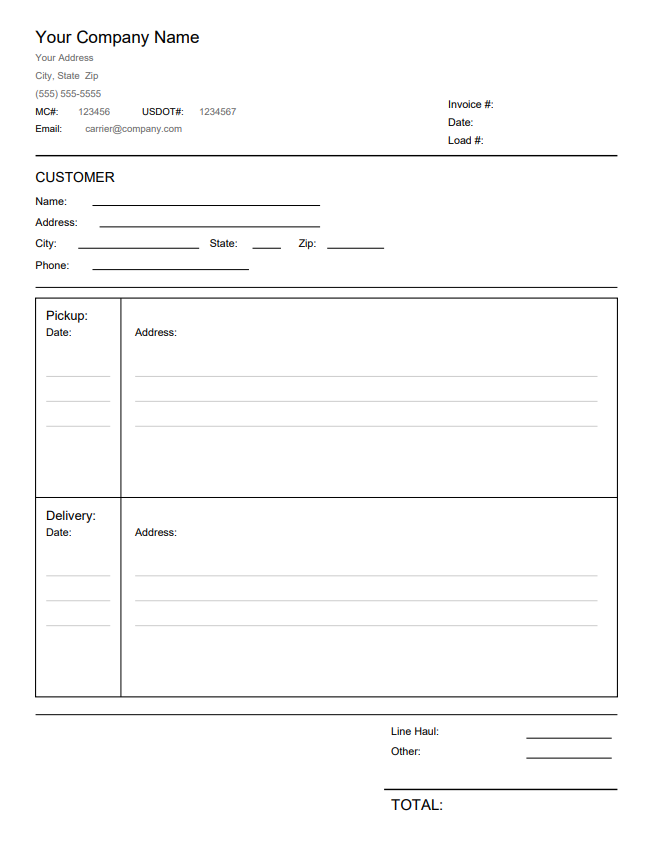
Owner-Operator Invoice
Best for truck drivers operating as independent owner-operators. Supports multiple pickup and delivery points on a single billing.
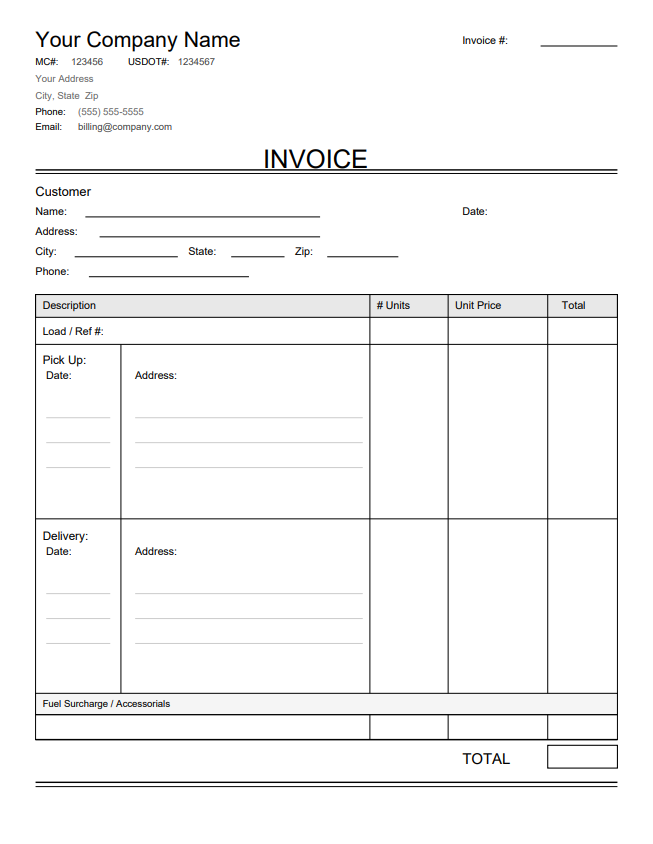
Truck Load Invoice
Designed for full truckload (TL) billing with multiple shipments and complete load details. Clean layout focused on the essential fields carriers actually need.
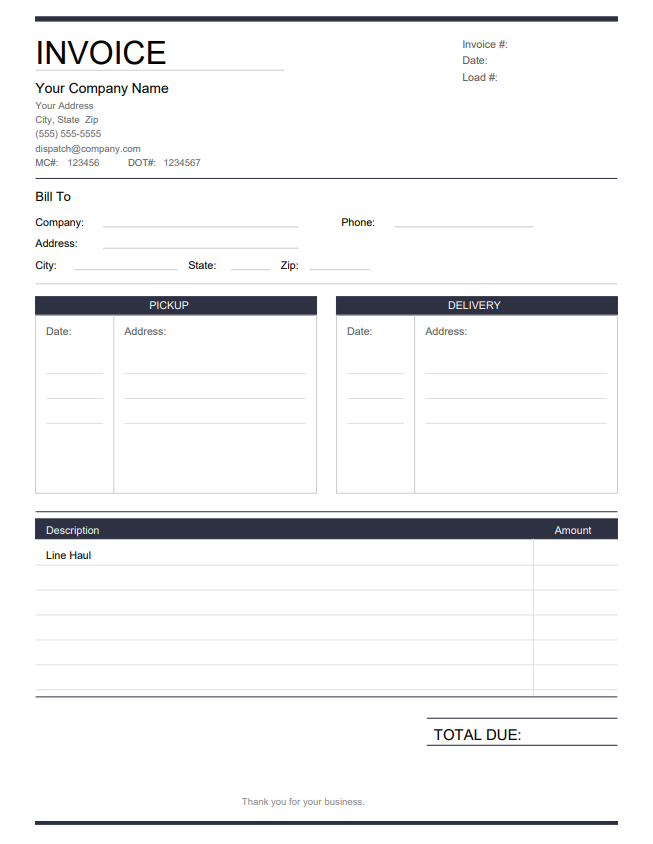
Freight Invoice
For carriers hauling mixed freight or less-than-truckload (LTL). Versatile layout with support for multiple stops and line-item rates.
What fields should a trucking invoice include?
A trucking invoice needs eight core fields so brokers can reconcile the load against the rate confirmation and pay on time. Leaving any of them off — especially the load number or carrier details — is the most common cause of delayed payment.

Carrier information
Company name, Motor Carrier (MC) number, Department of Transportation (DOT) number, address, phone, and email.
Bill-to details
Broker or shipper name and billing address — must match what appears on the rate confirmation.
Invoice number
Unique reference for tracking. Most carriers use a simple sequential number — CarrierInvoice auto-generates these for you.
Invoice date
Date the invoice is issued. Payment terms (Net 30, quick-pay) start counting from this date.
Load or PRO number
Progressive (PRO) number or load reference matching the rate confirmation — the key field brokers use to reconcile.
Pickup information
Shipper name, address, scheduled date, and time.
Delivery information
Consignee name, address, scheduled date, and time.
Rate and total
Total amount from the rate confirmation — covers line-haul rate, fuel surcharge, and any additional charges in one clear total.
A complete trucking invoice sample should include all eight of these fields to ensure fast payment and avoid disputes with brokers or shippers. Use the drag-and-drop designer to place each field on your layout, or see our step-by-step guide for a full walkthrough.
How do I create a trucking invoice in minutes?
Upload or pick a template
Use your own company PDF or start from a blank template above.
Mark your fields
Drag and drop fields onto your layout — one-time setup, reuse for every load.
Auto-fill from rate confirmations
AI reads the rate con and fills every field in seconds.
Common questions about trucking invoices
Billing norms, payment terms, and broker-delivery conventions carriers ask about.
Stop creating invoices from scratch
Build your template once and simplify your truck billing. Let CarrierInvoice auto-fill invoices from rate confirmations and Bills of Lading using AI. 10 free scans included — no credit card required.