Freight Invoice Management for Trucking Companies
Freight invoice management sounds simple until you realize that every broker has a distinct billing email, a different site and a different criteria for supporting documentation.
It’s not the pain creating the invoice. It’s knowing if the load was billed, where it was sent, what documents were attached, when payment is due and what to answer when accounts payable asks for the documentation again.
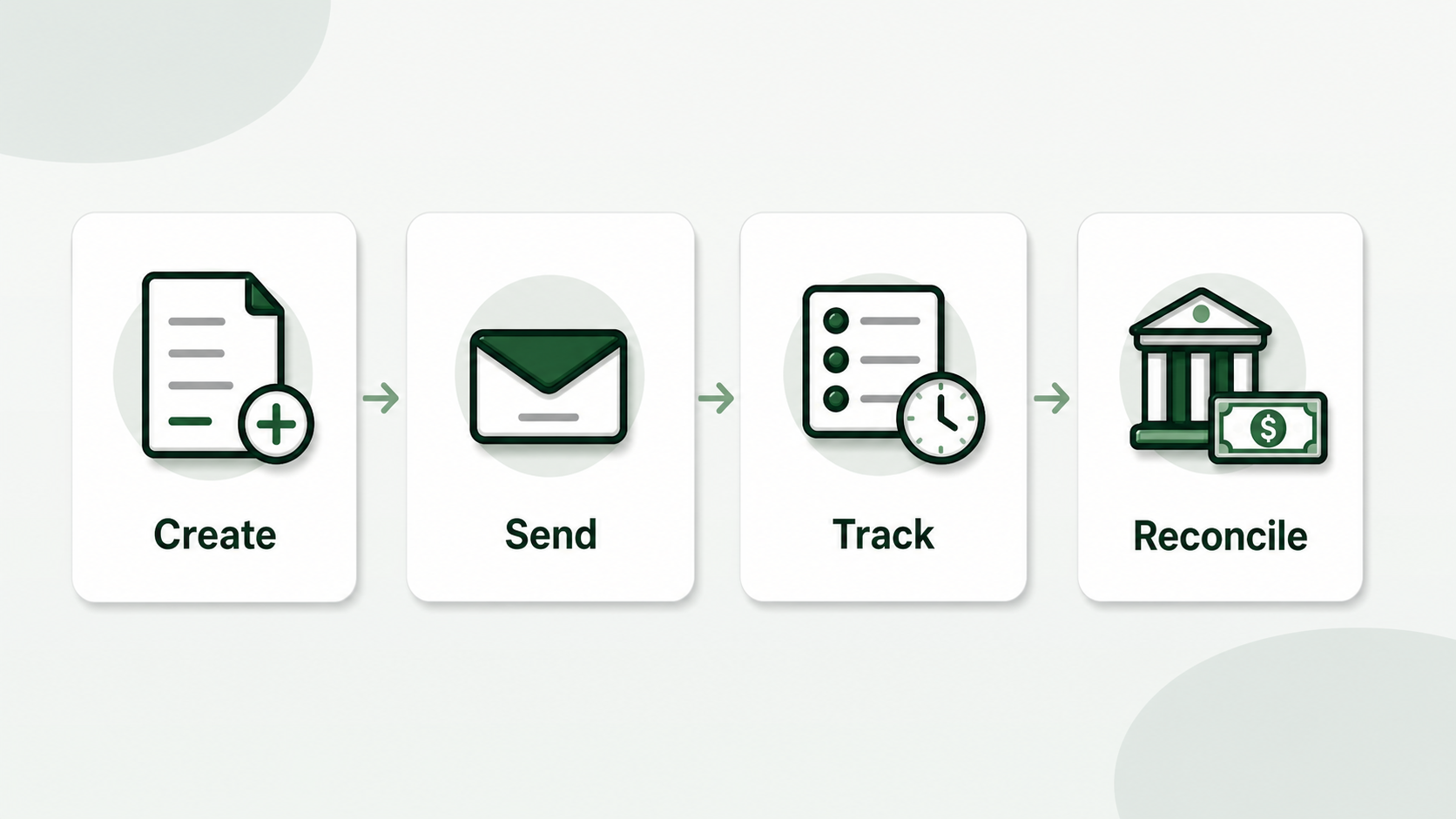
The Freight Invoice Management is the system you use to produce, send, track and reconcile invoices for completed cargoes. That system might be a spreadsheet, accounting software, a Transportation Management System (TMS) or a dedicated invoice automation solution for a small trucking company.
In this comprehensive tutorial, we’ll walk you through the major methods and share a practical tracking routine so that you can bill every cargo and have a clear follow-up trail for every late payment.
What is Freight Bill Management?
Freight invoice management is the administration of your billing workflow from the point when a load is complete to payment reconciliation.
Workflow has four parts and most carriers just think about the first part:
- Creation - the process of converting load data into a prepared invoice document.
- Delivery - shipping the invoice bundle to the correct billing contact or portal.
- Tracking - knowing which invoices have been created, sent, chased, paid or disputed.
- Reconciliation - match deposits to specific invoices to keep your books straight.
If you only do a few loads a week you can keep much of this in your brain. Memory is no longer a system at larger volume. A missing Bill of Lading (BOL), improper accounts payable email address, or a typo in the load number might add weeks to a payment cycle.
The objective of invoice management isn’t just paperwork for the sake of paperwork. It’s the control of cash flow. If you can’t answer “Which invoices are open at this moment?” You have less than a minute before your charging process is at jeopardy.
Top Freight Invoice Management Software Solutions
The ideal freight invoice management solution relies on the size of your organization and the problem you are trying to solve.
Small carriers (1-5 vehicles) generally need to create simple invoices, attach documents and track payments. Larger fleets need batch processing and clearer follow-up data. Larger enterprises may require comprehensive dispatch, driver settlement, accounting and compliance workflow integrated together in a TMS. Freight invoice management solutions fall into five categories:
| Approach | Best For | Monthly Cost | Creates Invoices? | Tracks Payments? |
|---|---|---|---|---|
| Spreadsheets | 1-10 loads/week | Free | Manual | Manual |
| General accounting software | Tax prep + basic tracking | $15-50 | Yes, generic | Yes |
| TMS with billing module | 10+ trucks, full operations | $50-200+ | Yes | Yes |
| Standalone invoice automation | Billing speed, any fleet size | $20-50 | Yes, trucking-focused | Basic |
| Factoring company portal | Cash flow priority | 1.5-5% per invoice | No, you submit yours | Partial |
The main question is not - which is best? It is “what bottleneck is costing me money?” If you are slow in invoicing, then start with invoicing automation. Lost invoices after you sent them? Better tracking. If payments are difficult to reconcile, tie accounting to billing records.
How Do Small Trucking Companies Do Invoicing?
Most small trucking companies begin with Word or Excel templates, then switch to accounting software for improved record keeping, and then look for trucking-specific solutions when manual entry becomes too slow.
The usual progression is as follows:
Phase 1: Hand-crafted templates
Make invoices in Word, Excel, Google Docs, or a fillable PDF. You copy the details from the rate confirmation, save the invoice as a PDF, attach the signed BOL and email to the broker. It is cheap and versatile, but needs careful typing every time.
Phase 2: Accounting Software
You have QuickBooks, FreshBooks or another accounting tool. Company info is maintained, invoice numbering is simpler, and payment tracking is better. The limitation is ordinary accounting software does not grasp rate confirmations, load numbers, BOL’s, lumper receipts or broker billing instructions.
Stage 3: Industry-specific trucking invoice tools
You employ software that reads rate confirmations, populates your invoice template, connects the BOL, and creates a complete billing package. This is usually the proper jump when invoice creation is taking hours every week or when data-entry errors are creating rejected invoices.
The problem is to stay in Stage 1 when the volume has clearly outgrown it. A further mistake is to go straight to a full TMS when all you need is a speedier billing process. Match the instrument to the ache.
What to Look for in an Invoice Management Tool?
Features such as rate confirmation extraction, custom template support, BOL integration and batch processing, and useable invoice status record are important to carriers.
The four things that matter most about billing speed are:
- Rate Confirmation Extraction – extracts the shipper, consignee, dates, load numbers, billing email and rates from uploaded rate confirmations
- Custom template support - allows you to stick with your existing invoice layout instead than requiring brokers to learn a new one.
- BOL merge - creates one PDF with the invoice, signed BOL and rate confirmation where necessary.
- Batch processing – process a number of rate confirmations at one time during a billing session instead of a single invoice at a time.
The features are also counted:
- Status values:
Draft,Sent,Followed up,Paid,Disputed,Resubmitted. - Date sent, terms of payment, follow-up date.
- Billing and broker address.
- Notes on required documents such as lumper receipts, detention approval, or temperature records.
Nice-to-have features include mobile access, cloud storage, accounting exports and reminders. They are useful, but not as important as getting clean invoices and identifying which ones require care.
CarrierInvoice handles the basic generation workflow: upload rate confirmations, extract data, populate your own template and integrate all into one billing package. Try it free with 10 scans.
How Do You Keep Track Of Which Invoices Are Paid?
Simple log of paid invoices with load number, broker, invoice date, amount, sent destination, terms, sent date, status, follow-up date and remarks.
A folder containing PDFs is not sufficient. There is an invoice, as is shown by a file. The invoice could have been sent, where it went, and if it was paid, but we have no way of knowing. Here is a basic tracking table:
| Load # | Broker | Invoice Date | Amount | Sent To | Terms | Date Sent | Status | Follow-Up | Notes |
|---|---|---|---|---|---|---|---|---|---|
| LD-4521 | ABC Logistics | 5/1 | $2,400 | [email protected] | Net 30 | 5/1 | Paid | - | Paid 5/28 |
| LD-4535 | XYZ Freight | 5/2 | $1,850 | [email protected] | Net 30 | 5/2 | Open | 6/6 | BOL attached |
Use text statuses instead of color alone. Text can be searched, filtered, exported, and understood months later.
Also track the document package. A note like invoice+BOL+rate con or invoice+BOL+lumper can save time when accounts payable says something is missing. If a broker has strict portal rules, note that too.
Follow-up timing should match the terms:
| Terms | Practical Follow-Up |
|---|---|
| Net 15 | Day 20 |
| Net 30 | Day 35 |
| Net 45 | Day 50 |
When you call back, be sure to mention the load number, the invoice number, invoice date, amount and the original sent date. “Checking on payment” is so easy to disregard. “Payment follow-up invoice 2026-048, load LD-4535, sent May 2” provides accounts payable something to search for.
If you consistently have over 50 outstanding invoices, frequently miss follow-up deadlines or don’t have a quick way to figure out how much money is owing to the firm at any given time, you may be ready to move past basic spreadsheet monitoring. Better tracking is no longer an administrative luxury. It’s about protecting the revenue you’ve already made.
What Your Weekly Invoice Management Routine Should Look Like
Separate new billing, late follow-up and payment reconciliation in a weekly invoice procedure.
Keep the routine simple enough that you can repeat it every week.
- Daily after delivery – do the invoice, attach signed BOL, submit to billing destination and record delivered date.
- Twice a week - sort out open bills by due date and follow up on anything outside of agreed conditions.
- Weekly - reconcile deposits from the bank, quick-pay deposits or factoring payments to invoice records.
- Monthly - Review for outstanding invoices that are 45 or 60 days old and escalate with full documentation.
For follow-ups, keep the message concise and to the point,
Hi, I’m checking on invoice 2026-048 for load LD-4535. May 2nd - Email sent to [email protected] for $1,850. Signed BOL included. Can you check if it is approved for payment or is there anything else?
The email is professional, searchable and easy to reply to. It also means you have records, which is important when a broker states they never got the invoice.
Where do I begin?
Identify the single biggest billing failure point in your company.
For sluggish invoice creation, utilize a template or automation tool. Set up a status log if you send invoices but don’t track them. If deposits are difficult to reconcile, improve invoice numbering and reconciliation. Don’t get a whole operations platform just because billing feels complicated.
The goal is simple: every load that is completed is invoiced, every invoice is submitted to the proper place, every open balance has a follow-up date, and every payment is matched back to the load that earned it.
See how it works, automated invoice generating - Sign up and get 10 free scans.