How Brokers Process Your Invoice (and Why It's Late)
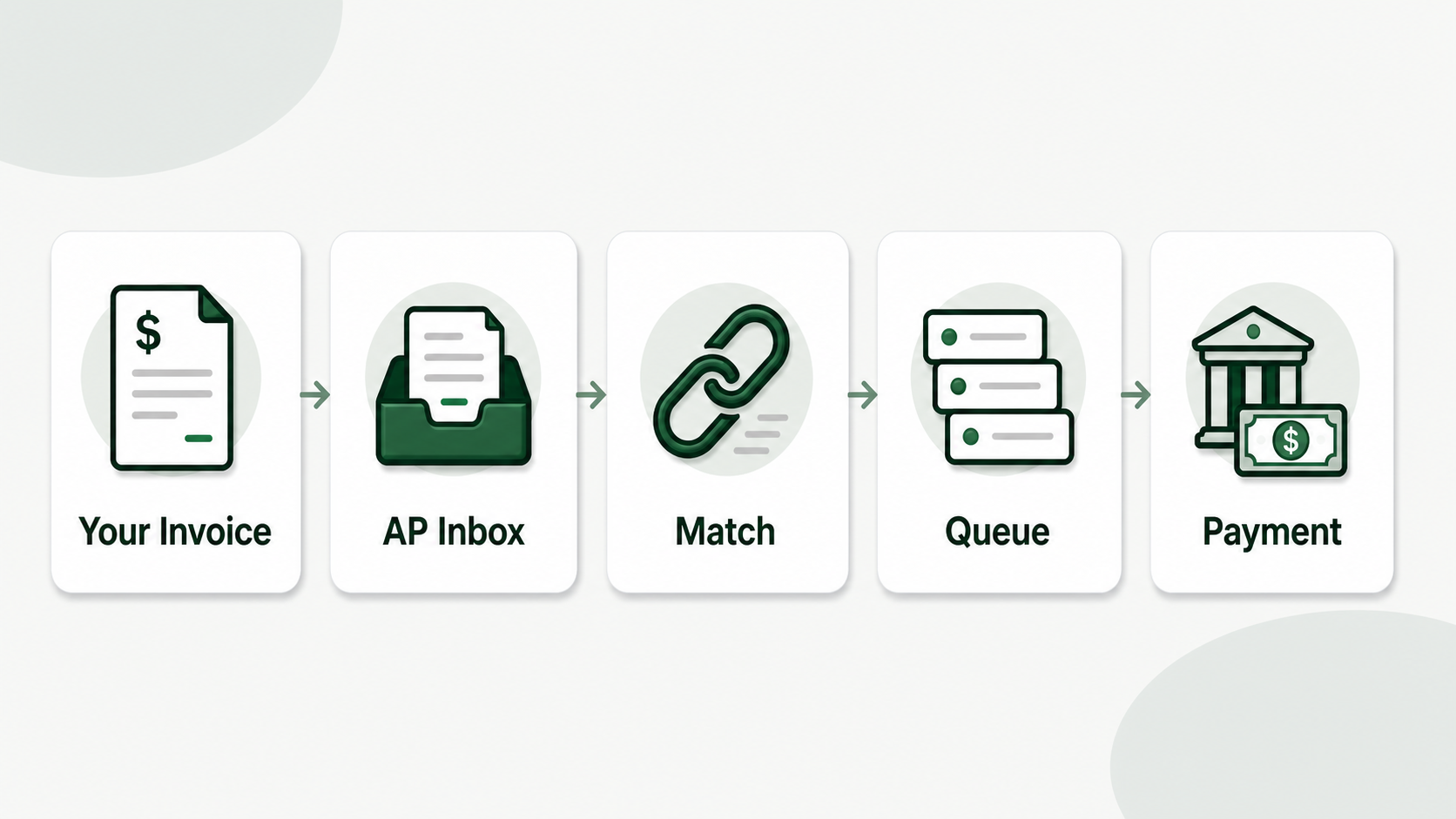
You provided the load, you issued the invoice, and now it’s been 40 days on a Net 30—what’s happening on the other side? Carriers blame slow brokers, yet most payment delays originate with something the carrier delivered (or didn’t send). That’s why, when you understand the broker’s method. A broker gets your invoice and puts it in verification, then approval and payment queue — and if something goes wrong on any step, the clock resets. In this post, we’ll take you through what really happens to your invoice after you hit send, what causes rejections, and how to prepare your submissions to get through AP faster.
After you submit your invoice
Your invoice is in the Broker’s Accounts Payable queue. It’s linked to a load record, validated with the rate confirmation and Bill of Lading (BOL), accepted by AP and added to a payment batch based on Net terms.
I have a pal who was an AP clerk at a mid-sized brokerage firm. She said 30% of the bills she receives require human follow-up because the information is missing or does not match. Each follow-up moved the invoice to the back of the line – behind all the clean invoices received after yours.
The standard broker AP process:
Step 1: Receive (Day 0) Your invoice comes to you by email or portal. Large brokerages have automatic intake—the email goes to [email protected] and is analyzed by software. At small brokerages, an AP clerk checks the inbox manually.
Step 2: Load matching (Day 0-1) The system (or clerk) will seek up the load number from your invoice in their records. That is why the load number match is so important — if it is off by one character, the automated match fails and your invoice gets in the manual review pile.
Step 3: Verification (Day 1-3) AP will verify your invoice to the rate confirmation and BOL.
- Does the carrier name and MC# match what was booked?
- Are pickup/delivery information in agreement with load record?
- Does the invoice amount corresponds with the agreed rate?
- Is the BOL signed and attached?
Step 4: Approve (Day 3-5) If the verification is successful, the invoice is authorized for payment. With larger brokerages this may require a second sign off by a load manager or operations head.
Step 5: Payment batch (Day 5 to Net terms) Approved invoices are sent to the payment queue. Brokerages typically pay out on a schedule . Weekly or bi-weekly . Your invoice will be paid on the following batch run after your Net terms date.
Step 6: Payment (Net terms + batch cycle) Payment is made via ACH, check or the way you designate in your setup. ACH is often 1-2 business days after the batch runs.
So “Net 30” generally ends up being 33-37 days in practice. The approval-to-payment window is 30 days, although getting, matching and verification takes 3-5 days on the front end, and payment batch cycle takes a few on the back end.
Why are trucking invoices delayed?
Here are the top five reasons in order Load number doesn’t match the rate con BOL is missing or unsigned Invoice went to wrong email Charges don’t match the agreed rate Carrier MC/DOT absent from invoice header
More many once the load number mismatch burnt me. One time it was a dash versus a space. My invoice showed “LD 45023”, the rate con said “LD-45023”. It ended up in a manual review pile for two weeks because the broker’s system couldn’t auto-match it, while clean invoices from other carriers passed through.
Reason 1: Mismatch of load number (most common) Load number auto-matches in broker systems. If yours is not precisely the same, including dashes, spaces, and capitalization, the automated matching will not work. Your invoice is placed into a manual review queue, where an AP clerk will process it at some point. “Eventually” can be 5-15 business days depending on their backlog.”
Reason 2: BOL is missing or unsigned No BOL signed = No proof of delivery. Brokers won’t pay without it. Other brokers will auto-reject an invoice if it does not include a BOL and send an email demanding it. Others just leave it in the queue till someone sees it out. Either way, you have lost days.
Reason 3: Incorrect email address If your invoice is sent to [email protected] instead of [email protected] it may not be forwarded by the dispatcher. Or they send it a week later . Or it’s lost completely. Billing email address is the sole address that matters on the rate confirmation.
Reason 4: Rate difference If the invoice total is different from the rate confirmation amount, it is marked for review. Typically this is the case when carriers do not itemize charges or add an accessorial not agreed to in writing. The broker has to confirm with the load manager before the payment is released.
Reason 5: No MC/DOT number Some broker AP systems require carrier authorization before payment is released. If your MC or DOT number is not on the invoice, they are going to have to look it up manually. It’s a little delay. But it adds to the long list of reasons your invoice isn’t moving fast.
When Should You Follow Up
Wait 5 business days past the Net terms. Until then you’re in the regular queue. Please email a polite follow up with load number, invoice date and amount.
I used to do follow up at 25 days on a Net 30. All I got was it’s on the queue. Then I wait for day 35 and send a short email with the load number in the subject. That drives action because by day 35, something is wrong or it’s going to clear – either way, a precise follow up speeds things along.
Short follow-up with accounts payable on the fields they need to search.
Subject: Payment Follow-Up - Load LD-78432 - Invoice 2026-048
Hi, this is a follow up on invoice 2026-048 for load LD-78432. The invoice for $2,485 was mailed on May 2 with the signed BOL included. Please let me know if it is accepted for payment or if there is anything else required.
Don’t send a generic “checking on payment” email. On the first message give the broker the load number, invoice number, amount, date sent and document status. Follow-up timeline:
| Net Terms | First Follow-Up | Second Follow-Up | Escalation |
|---|---|---|---|
| Net 15 | Day 20 | Day 25 | Day 30 — call AP directly |
| Net 30 | Day 35 | Day 42 | Day 50 — call AP directly |
| Net 45 | Day 50 | Day 57 | Day 65 — call AP directly |
What to include in a follow-up email:
Subject: Payment follow-up: Load [LOAD NUMBER], Invoice [INVOICE NUMBER], $[AMOUNT]
3-4 phrases max. Please refer to the load number, date of invoice, amount and date you submitted it. Ask if there’s anything to process. Do not be aggressive because AP clerks see hundreds of carriers and respond better to professional and targeted inquiries.
When to escalate:
If you don’t hear back after your second follow-up, call the AP department directly. Sometimes it’s on the rate confirmation or the broker’s website. If you can’t find it, call the main number and request accounts payable.
Keep a note of every follow-up – date, manner (email/phone), who you spoke to and what they said. If you ever have to dispute or involve a factoring company, this documentation is critical.
What Are Brokers Looking at First on Your Invoice?
BOL existence & Signature, Billing amount matches rate confirmation, Load Number match. If these three are correct, you have passed the automated checks and are sent directly to the payment line.
A broker once told me, “If I can find your load number on a signed BOL in our system, you’re in the fast lane. “You do something wrong, I have to email you and you just lost me 10 business days.
The fast-lane checks (in order):
-
Load number match – automatic system attempts to match your invoice load number to their database. Exact match equals direct routing to verification. No match = manual review queue.
-
BOL attached and signed – AP opens your PDF and searches for the BOL. If it’s a distinct file, they have to match it to the invoice. If it’s all in the one PDF, people see it immediately. It is faster when merged.
-
Amount matches rate con – the amount on the invoice is compared to the agreed rate. If it fits, it’s good to go. If it’s different (math errors) it gets tagged for review. How large vs. small brokerages differ:
| Large Brokerage (100+ loads/day) | Small Brokerage (10-30 loads/day) | |
|---|---|---|
| Intake method | Automated email parsing | Manual inbox checking |
| Load matching | Automated by load number | Manual lookup by clerk |
| Verification speed | 1-2 days if clean | Same day if clean |
| Manual review backlog | Can be 2+ weeks | Usually 2-5 days |
| Payment schedule | Weekly or bi-weekly batches | Weekly or on-demand |
| Communication | Email templates, slow response | More personal, faster response |
If your invoice is clean (automatic processing), large brokerages are fast. If there’s an issue (manual review backlog is extensive), they’re substantially slower. Small brokerages are moderate all around, everything is manual but the backlog is lower.
How do I format invoices to get paid faster?
Take the load number and put it in the rate con character for character, sign the BOL and put it in the same PDF, send it to the billing particular email (not info@), and don’t forget to put your MC number on the header.
When I combined my invoice and BOL into one PDF and thoroughly checked the load number, my average payment time went from 38 days to 24 days, on the same Net 30 brokers. Same terms, same brokers, quicker payment. Nothing really changed, just the quality of my entry.
Five formatting rules that accelerate payment:
- Write the load number precisely as it appears on the rate con Don’t re-type it. Do not rephrase it. If the rate con states “LOAD-2026-4521” and your invoice says “LOAD-2026-4521” - not “LD-4521” or “Load 2026-4521.” You can copy-paste it or use a tool that extracts it automatically.
2. Combine everything into one PDF One file = Invoice + signed BOL + rate con (if applicable). When AP opens your email they get one attachment with everything needed to review and approve. No need to search for a separate BOL file or to match documents from multiple emails.
3. Email to billing email, not general inbox Look for the rate confirmation in the AP or billing specific email. It’s normally ap@ or billing@ or invoices@, not info@ or dispatch@. If you send it to the wrong address, it could take days or weeks to be processed.
4. Add your MC and DOT to your invoices Stick them in the header. They are used by brokers to verify authority before issuing payment. They don’t have them, so they have to look them up manually, which takes 1-3 days.
5. List your charges Don’t write “Total: $2,485”. $2,100 line haul $185 fuel surcharge $125 detention $75 lumper Itemize it. Itemized invoices match rate con verification faster since AP can see exactly where every dollar originates from.
CarrierInvoice gets load numbers directly from your rate confirmation, no more character mismatches. It automatically integrates your invoice, rate agreement & BOL into one PDF. Start with 10 free scans.
Simplify AP with Clean Invoices
The secret to being paid quickly isn’t bugging brokers, it’s invoicing in a way that makes its way through their system easily. Clean invoice matching load number attached BOL proper billing email clears AP in days. A dirty one sits for weeks in a manual review queue.
The broker’s AP process is predictable. Knowing what they are looking for and what slows things down lets you turn every submission into a fast track. It’s not difficult — just particular.
Clean invoices. Auto-filled to get through broker AP faster. 10 free scans.