How to Create a Trucking Invoice for Carriers
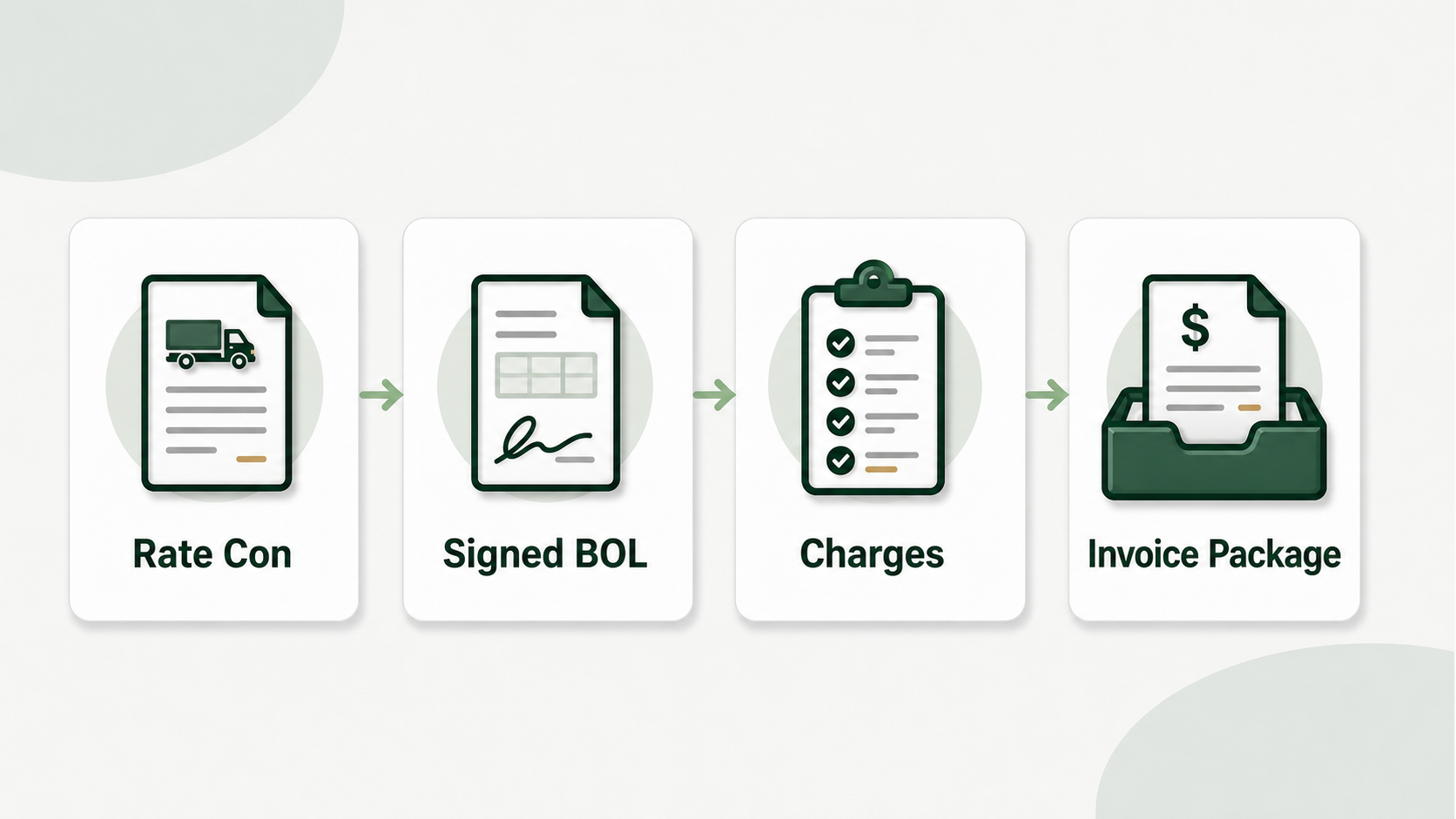
Trucking invoice a broker can process without asking questions is the start of being paid.
Usually the slow portion isn’t the invoice design. It’s verifying the rate, adding the signed Bill of Lading (BOL), shipping the box to the correct billing email and retaining proof you sent it on time.
Carrier identification; Broker bill to; Load number; Pickup and delivery; Itemized charges; Payment conditions; Signed BOL. To ensure your trucking invoice is complete, add: If those information match the rate confirmation, the invoice has a far better chance of getting through accounts payable without a hold.
This tutorial will walk you through the fields on your invoice, the documents to attach, where to send the invoice and the checks to perform before you submit it.
What is a Trucking Invoice?
A trucking invoice is the bill a carrier gives a broker or shipper once they have completed a cargo.
We hereby formally request payment as per the agreed rate confirmation. The invoice shows who the broker is that delivered the cargo, what load was provided, the amount payable and what documents indicate the load was delivered.
The invoice is also a tracking document for carriers. When a payment is late you require the invoice #, load #, amount, broker, billing email, date sent, and current payment status. Without that record, every follow-up is a dive through email threads, images and downloaded PDFs.
The key guideline is simple: the invoice needs to be in line with the rate confirmation and the BOL. If your invoice contains a load number, but the rate confirmation has a different number and the BOL has a different delivery date, the broker’s accounts payable staff has to halt and investigate. That delay frequently impacts your payment schedule.
What Information Should Be Included on a Trucking Invoice?
A trucker invoice should contain carrier information, broker bill-to information, cargo specifications, pickup and delivery details, itemized charges, payment terms and supporting document references. Here is the practical field checklist.
| Field Group | What to Include | Why It Matters |
|---|---|---|
| Carrier information | Legal company name, address, phone, billing email, MC number, USDOT number | Lets the broker verify your authority and identify who should be paid |
| Bill-to information | Broker or shipper name, billing address, accounts payable email, phone if provided | Keeps the invoice out of the dispatcher’s inbox and inside the payment workflow |
| Load details | Load number, invoice number, invoice date, rate confirmation reference | Gives accounts payable a clean match to the booked load |
| Pickup and delivery | Shipper, consignee, pickup date, delivery date, city/state or full address | Lets the broker compare the invoice against the BOL and rate confirmation |
| Charges | Line haul, fuel surcharge, detention, lumper, layover, stop-off fees, total due | Prevents disputes over how the total was calculated |
| Payment terms | Net 15, Net 30, quick pay, or broker-specified terms | Sets the expected payment window |
| Attachments | Signed BOL, rate confirmation if required, accessorial receipts | Proves the load and extra charges were completed as billed |
Tell the broker what you want. Before anyone opens a second document, a tidy invoice should explain the basics: Who is billing? What load is this? How much is owed? What documentation is attached?
How to fill up carrier information?
Carrier information is the same legal firm information you used when you set up your operating authorization and your payment.
Please include at least:
- Name of legal carrier
- Postal address
- Phone number
- Email for billing
- MC (motor carrier) number
- United States Department of Transportation (USDOT) number
The MC and USDOT numbers aren’t just for show. They are used by brokers to check the carrier before they release payment. When the number is absent, incorrect or inconsistently formatted, the invoice can be sent to manual review.
Leave this part in your template. You don’t have to re-type your company details for each load. When you retype you make small typos. Accounts payable systems are designed to detect small mistakes.
How To Add Broker and Bill-To Details?
The bill-to data for the broker should be on the rate confirmation, not from memory and not from the dispatcher email signature.
Check rate confirmation for billing or accounts payable section. Many brokers have different contacts for dispatch, tracking and billing. The dispatcher can support you during the load, but this does not guarantee they process bills.
Includes:
- Legal name of broker or shipper
- If specified, billing address
- Billing or accounts payable email
- Broker load no.
- Any portal instructions
Billing Email is one of the easiest fields to get wrong. A clean invoice sent to the wrong inbox is still a rejected submission. If you’re late paying, the broker may inform you that they never got the invoice because accounts payable never saw it.
If the rate confirmation advises to upload invoices through a portal, do it and retain a screenshot or confirmation number. If an email address is given, send the invoice package to that address and save a copy of the sent email.
Load Details Need To Match The Rate Confirmation
Load information must match rate confirmation letter-for-letter. Load number especially.
So dashes, spaces, prefixes, suffixes and capitalization all count. The rate confirmation will have something like LD-78432 on it. Do not type LD 78432 or 78432. Some broker systems automatically match invoices to load number. A slight difference and the invoice will not be attached to the correct load.
Use the rate confirmation for:
- Reference number or load number
- pick-up location
- Place of delivery
- Date of Pickup
- Date of delivery
- Trunk transport rate
- Fuel surcharge
- Accepted accessorials
Invoice number Use your own numbering scheme. It is okay as long as each invoice number is unique like 2026-0048 or ABC-1048. That unique invoice number lets you track follow-ups, payment status, and accounting data.
What Should Be Included In A Trucking Invoice?
You should submit Signed Bill of Lading and you should attach Rate Confirmation or Accessorial Receipts when the broker asks for these.
The signed Bill of Lading (BOL) is a confirmation the load was delivered. If the broker does not see a signed BOL they may not process the invoice at all.
Typical accessories include:
- Signed delivery receipt or BOL
- Rate confirmation if needed
- Receipt from lumper
- Detention authorization
- Approval for layover
- Ticket volume
- Reefer Load Temperature Record
- Any e-mail approval for extra charges
The cleanest package is usually a single PDF with the invoice first and the supporting documents behind it. Accounts payable finds it easier to save, review and send on one file than five distinct attachments.
Take a snapshot of the signed BOL in your palm before you leave the pier. When it delays until later, paperwork becomes lost, folded, obscured or buried under other heavy documents.
Where to Send Trucking Invoice?
Email or portal the trucking invoice to the billing email or portal on the rate confirmation.
Don’t assume the dispatcher is the appropriate person. Shipping took the load. Accounts payable pays the bill. Often those are different teams, different inboxes, occasionally different systems.
A clean send routine looks like:
- Complete the delivery and have the BOL signed.
- Build the invoice from the rate confirmation.
- Merge the invoice and accompanying papers into one PDF file.
- Send it to the billing email or upload to the broker portal.
- Note the sent date, broker, load number, amount and payment terms.
- Follow up once the payment window has closed.
If you’re emailing, use a direct subject line:
Invoice 2026-0048 Load LD-78432 ABC Trucking LLC
That subject offers the broker what it needs to find the message later. Avoid general topics such as Invoice attached or `Load paperwork’.
What Mistakes Cause Trucking Invoice Payment Delays?
The most common problems on trucking invoices are mismatched load numbers, missing BOLs, incorrect billing emails, vague charges and poor record keeping.
| Mistake | What Happens | How to Avoid It |
|---|---|---|
| Load number does not match | Broker system cannot match the invoice to the load | Copy the load number directly from the rate confirmation |
| BOL is missing or unsigned | Broker has no proof of delivery | Photograph the signed BOL before leaving the dock |
| Sent to dispatcher | Accounts payable never receives it | Use the billing instructions from the rate confirmation |
| Charges are lumped together | Broker cannot verify the total | Itemize line haul, fuel, detention, lumper, and other accessorials |
| No sent-date record | Follow-up becomes guesswork | Track invoice date, sent date, broker, amount, and status |
Most late payments aren’t strange. Something was off, something was missing or the invoice ended up in the wrong spot. Build a repeatable method around those failure areas and the work gets easier.
Should You Use A Trucking Invoice Template?
If you’re creating more than a handful of invoices each month, you should utilize a trucking invoice template.
A template provides consistency for your carrier info, payment terms, logo area and field layout. You only add broker and load particular information for each load. It eliminates typing, maintains your formatting neat and makes your invoices easier to recognize for brokers.
Free trucking invoice templates are helpful if you’re just getting started or if you want a clean layout without beginning from scratch. Choose a template, fill in your company information once and use it for every load.
If brokers are familiar with your invoice structure don’t change it just because a new tool can give you a beautiful layout. A sophisticated invoice that creates uncertainty is not as good as a familiar correct invoice.
Truck Invoice Automation – Can You Automate?
You may automate your trucking invoice preparation by pulling the data from the rate confirmation, populating your template, and combining the completed invoice with the BOL.
CarrierInvoice allows you to upload your own PDF template and specify where each field should be placed on the template for usage in future invoices. Upload the rate confirmation, validate the extracted fields, attach the BOL and obtain a full billing package.
The review is the essential element. Automation should automate repetitious typing, not your judgment. Always verify load number, dates, broker name, rate, accessorials and billing email prior to sending.
For a carrier that does its billing manually, the savings in time are in changing a typing task into a review job . Instead of pasting all the fields from the rate confirmation to an empty invoice, you ensure that the extracted data is correct and correct anything that requires attention.
Sign up and get 10 free scans – no credit card required.
Final Pre-Send Checklist
Before sending a trucking invoice, run this checklist:
| Check | Question |
|---|---|
| Load number | Does it match the rate confirmation exactly? |
| Broker billing email | Is it the accounts payable address, not the dispatcher? |
| Carrier information | Are legal name, MC number, and USDOT number present? |
| Charges | Do line haul, fuel, and accessorials match the rate confirmation? |
| BOL | Is the signed BOL attached and readable? |
| File package | Is everything merged into one clean PDF when possible? |
| Sent record | Did you record date sent, amount, broker, and payment terms? |
A tidy invoice doesn’t have to be hard. It should be thorough, accurate and straightforward for the broker to process. You get the facts exactly before you send it, and you eliminate the most common reasons payments get delayed.