Invoicing From the Road: Billing Without an Office
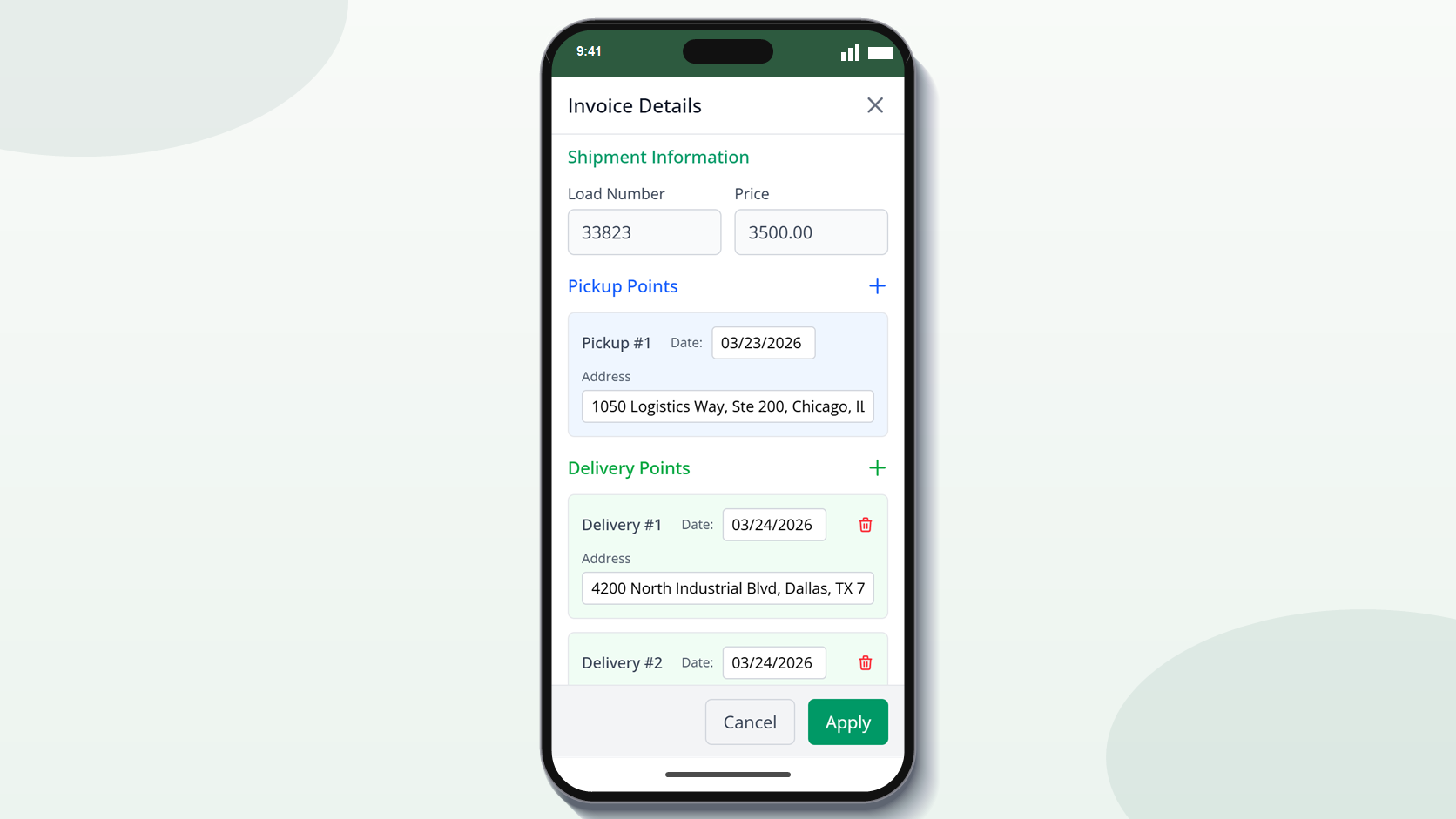
The ideal time to send an invoice is the day of delivery – but you’re in a truck cab, not a home office. Most carriers invoice while they are home or on a slow weekend. By then the rate cons are buried in an email, the BOL photographs are jumbled together with all the other stuff on your phone, and half the loads have details you’ve already forgotten. Create an invoice from the road on your phone or tablet. Scan the BOL at the dock, upload the rate con from an email, and create an invoice before you even pull out of the lot. This post is about the mobile-friendly workflow for same-day invoicing – the apps, the habits and why charging immediately after delivery makes a substantial impact to your cash flow.
Why Invoice the Same Day You Deliver?
The longer you wait to submit, the longer your payment timeframe. If a broker pays Net 30 from receipt of invoice – not delivery date – being billed 5 days late implies getting paid 5 days late.
I used to do my invoices in batches on Sunday. That meant Monday’s deliveries weren’t invoiced until Sunday — 6 days of float, every single week. Going to same-day billing gave me a 6 day jump on every payment, effectively. That’s real money in somebody else’s account, not mine, for almost a month. The math is straightforward:
| Scenario | Delivery | Invoice Sent | Net 30 Payment | Total Wait |
|---|---|---|---|---|
| Same-day billing | Monday | Monday | 30 days | 30 days |
| 3-day delay | Monday | Thursday | 30 days | 33 days |
| Weekend batching | Monday | Sunday | 30 days | 36 days |
| ”I’ll get to it” | Monday | Next Monday | 30 days | 37 days |
At 20 loads per week, weekend batching delays each cargo by 3-4 days on average. That’s like having two full weeks of revenue held in transit all the time. You make the money, but you can’t utilize it because you didn’t deliver the documentation. Over a year, that’s two weeks of revenue.
Some brokers start the Net terms from the delivery date no matter when you invoice. But even so, the sooner you submit the sooner you are in their AP queue and the sooner processing begins.
What You Need To Invoice From Your Phone?
Three things. A mechanism to scan or photograph the signed Bill of Lading (BOL). Access to the rate confirmation in email. An invoicing application that works in a phone browser — no desktop needed.
My mobile kit is simple: Genius Scan for the BOL photo, the rate con fetched up from email, and CarrierInvoice open in Chrome on my phone. The entire operation is done immediately at the pier in less than 5 minutes per load.
1. BOL scanning application
Your phone camera works, but a scanning app is better. It will straighten the image, adjust the contrast and save it as a PDF. The BOL must be readable and signed by the receiver clearly.
Good free alternatives:
- Genius Scan — Auto-crop, Clean Interface, Export as PDF
- Adobe Scan – decent quality, free tier is fine
- Microsoft Lens — on most phones already, good with glare
- Phone camera — good if you don’t have a scanner, but the photographs are tougher to process than scanned PDFs
2. Access to rate confirmations
Get your con rate from your email. Most brokers will email the rate confirmations as a PDF attachment. You can open it right from the email or save it to your phone’s files. If you utilize a load board app (DAT, Truckstop) the rate drawback can be there as well.
3. Invoicing tool
You need a tool that operates in a phone browser, no desktop app needed. Upload the rate con, have AI pull the data, evaluate the populated template and obtain the completed invoice. CarrierInvoice works like this: no app to install, just open your browser.
Building a Mobile Workflow for Carrier Invoicing
Take a photo of signed BOL at the dock. Open the con rate from email. Upload both to your invoicing software. Please check the extracted data, download the completed invoice and email it to the billing email address. Five minutes. Five steps.
The method I learned was to take a picture of the BOL before the receiver goes away. If the signature is wrong, a stamp is missing, or there’s a remark concerning damaged freight, you can rectify it right there, instead of finding out three days later at your kitchen table — when it’s too late to do anything about it.
Road billing also needs a bit of discipline around problematic phone conditions:
- Take the BOL picture on a level surface with the entire page in view.
- Leave the dock and take blurry pictures again.
- When your phone offers you the option, save or rename files with the load number.
- If the signal is weak, save the invoice packet and send it when you have a solid connection.
- Original BOL photo will be kept until invoice is paid.
It’s the habit that counts, not the device. Usually a good phone photo you took at the dock is better than an ideal scan you intended to conduct later but never got around to doing.
Mobile Workflow Step by step
At the dock (2 min):
- Obtain receiver’s signature on the BOL.
- Take a picture or scan the signed BOL right away – ensure the signature is clear and the document readable
- Take a snapshot of your lumper receipt, jail time stamp or scale ticket – all are good
In the cab (3 min.): 4. Open the rate confirmation email you got 5. Go to your invoicing tool on your phone browser 6. Upload the rate con – AI extracts shipper, consignee, dates, load number, rate 7. Review the data you extracted — fix any that the AI missed 8. Upload the photo of BOL 9. Download combined billing bundle (invoice + BOL in a single PDF)
Before you withdraw: 10. Email the rate agreement and billing bundle to the AP email. 11. In your load tracking log, mark the load as invoiced
Multi-stop loads For multi-stop loads, obtain a signed BOL at each stop. Upload all of them after the final delivery. The invoice is for the whole load but should list each stop separately.
What If the Rate Con Is a Photo or Hard to Read?
AI programs can work with images, scans and low quality PDFs. If the rate con is very unreadable you’ll need to check the extracted data manually, but even that is faster than inputting everything from new.
Half the rate cons I get are pictures of faxed docs. They appear terribly blurry, a bit tilted, occasionally cut off at the edges. AI extraction still gets 90% of the fields correct. I review and correct the remainder in about a minute. That’s still a lot faster than inputting 12 fields from a fuzzy fax photo.
What AI is good at:
- Typed PDF rate confirmations - 95%+ accuracy on standard broker formats
- Clear phone images – 90-95% accurate, particularly in favorable lighting
- Multi page rate cons extracts from across pages
What needs special attention:
- Photos of faxed documents accuracy is 80-85% generally readable but check the numbers carefully
- Handwritten notes or comments that might be misread as field data, or just ignored by AI
- Non-standard layouts – some of the smaller brokers utilize weird rate con forms
- Very low res or dark photographs – if you can hardly read it the AI will struggle too
Tips for improved extraction of photos taken on your phone:
- Make sure the photo is well illuminated (natural light or a bright cab)
- Keep the document flat – wrinkles and folds confuse extraction
- Include the entire document in the frame – cut-off edges signify missing data.
- raise the phone slightly to prevent glare from overhead lights
Even at 85% correctness the routine is: upload, evaluate 2-3 fields, correct if necessary, download. That’s 2 minutes compared to 15 minutes of hand entry. time savings add up quickly at volume.
How Do You Keep Invoice Records While Traveling?
Use cloud storage (Google Drive, Dropbox or the storage incorporated into your invoicing platform) and have a consistent naming system – load number and date work nicely. Don’t keep business documents in your phone’s camera roll.
Between my Downloads folder, email attachments and Google Drive, the PDFs were all over the place and I lost track of 3 invoiced loads. I did not know if those bills were issued and I couldn’t find the files to resend them. Now the load number is in the file name and everything is in one place.
Concepts organization:
File naming convention LD4521_20260501_ABCLogistics.pdf
This allows files to be searched and sorted. When you need to find that one invoice 6 months down the road, you can search by load number, date, or broker name. Storage options:
| Method | Pros | Cons |
|---|---|---|
| Invoicing tool storage (e.g., CarrierInvoice) | Organized by load, accessible from any device | Tied to subscription |
| Google Drive | Free, searchable, shared access | Manual organization needed |
| Dropbox | Auto-sync from phone, reliable | Free tier limited |
| Email (sent folder) | Already there, searchable | Hard to organize, cluttered |
| Phone storage only | No internet needed | Easy to lose if phone is lost/damaged |
Tracking what’s been sent:
Keep a simple tracking list — either in a spreadsheet app on your phone (Google Sheets works well) or a note-taking app:
| Load # | Broker | Amount | Invoiced | Sent | Paid |
|---|---|---|---|---|---|
| LD-4521 | ABC Logistics | $2,400 | May 1 | May 1 | — |
| LD-4535 | XYZ Freight | $1,850 | May 2 | May 2 | — |
Once you receive payment, change to “Paid”. Weekly review of any outstanding invoices over Net terms – follow up on these.
Back up everything
If your office is your phone, then a lost or broken phone implies lost company records. Use a cloud storage service that syncs automatically. Turn on automatic photo backup for the BOL scans. If your invoicing solution has cloud storage, your finished invoices are already backed up on their servers.
Habit Is More Important Than The Tool
Invoicing on the road, same-day, isn’t a luxury workflow — it’s the fastest way to be paid. The longer you wait to bill, the longer you wait to get paid. The tools are there to make it economical from a truck cab: scan the BOL at the port, upload the rate con from email, generate the invoice in minutes, and submit before you pull out.
The instrument isn’t as crucial as the habit. And whether you utilize a sophisticated invoicing platform or a spreadsheet template on your phone, billing the same day you deliver improves your cash flow more than any other single activity.
Don’t batch invoices on weekend. Bill at the dock and get paid faster. Start free with 10 scans.