Truck Billing: A Complete Guide for Owner-Operators
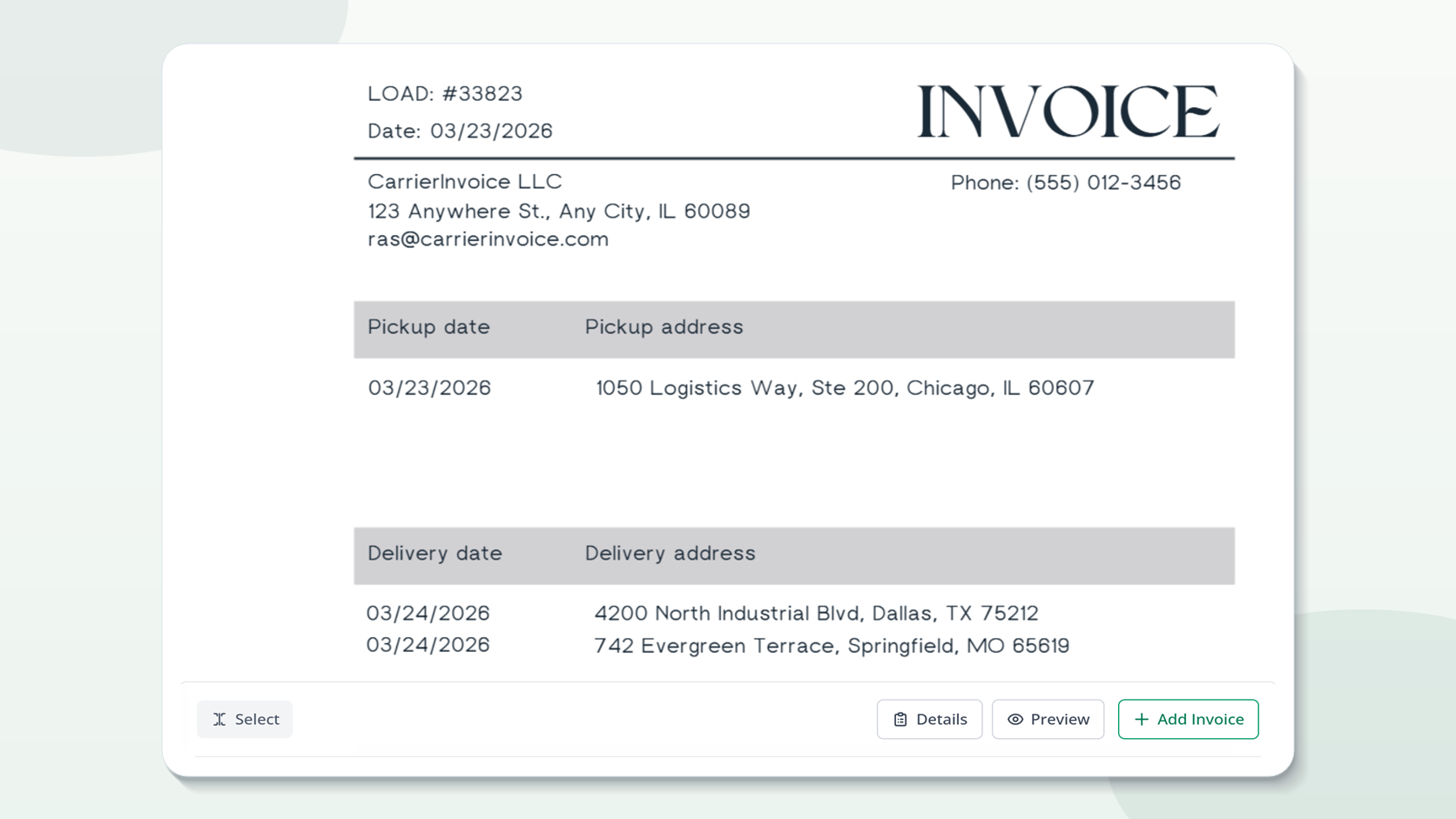
You get paid for a load long before the cheque clears - it all starts with how you invoice. Most owner-operators spend more time chasing payments than they like to acknowledge, often because there’s something in the billing that’s incorrect from the start. Truck billing is the process of recording a completed load and providing an invoice packet to a broker or shipper for payment. This article takes you from the second you unload to the second the payment hits your account, including formats brokers want, frequent reasons invoices get refused, and how to automate the repetitious bits.
What is Truck Billing and Why it Matters?
Truck invoicing is providing the broker that booked the cargo a full invoice bundle including your invoice, signed Bill of Lading (BOL) and sometimes the rate confirmation. It’s the official procedure that makes you be paid for the task you have done.
I can’t tell you how many invoices got kicked back because I didn’t attach a signed BOL or used the wrong load number in my first year running my own truck. Each refusal was another 2-4 weeks waiting for money I previously made.
The billing cycle is the link between hauling freight and getting paid. And every day you wait to bill, or send partial and incomplete work, is a day on your payment calendar. For a solo owner-operator, tidy billing is more than an administrative effort, it is cash flow management. 15 minutes every invoice is about 2 hours of paperwork every week even if its only 8-10 invoices a week. Multiply that over a year and you have a significant operating expense.
What format do brokers expect for truck billing?
Most brokers want a PDF invoice that includes your carrier identification, the load number matching the rate confirmation exactly, itemized charges and a signed BOL attached – all in one file.
Some brokers expect a separate email for each load while some accept batches. I’ve become good at checking the rate agreement for charging instructions before submitting anything – saves a lot of back and forth. The standard truck billing format includes:
| Component | What It Contains | Where to Find It |
|---|---|---|
| Invoice header | Company name, address, MC#, DOT#, phone, email | Your authority docs |
| Bill-to block | Broker name, billing email, address | Rate confirmation |
| Load details | Load number, invoice number, invoice date | Rate con + your records |
| Pickup/delivery | Dates, addresses, shipper/consignee names | Rate con + BOL |
| Charges | Line haul, fuel surcharge, accessorials, total | Rate con + any extras |
| Attachments | Signed BOL, rate con (if required) | Dock + email |
Some brokers use portals instead of email. TQL, CH Robinson and others use online submission methods. The format requirements are the same but instead of shipping files you upload them. Always consult the pricing confirmation for invoicing instructions. There may be a short comment at the bottom that says something like “submit all invoices to [email protected]” or “upload via our carrier portal.” Drop that note, lose days.
How Do Owner-Operators Bill for Completed Loads?
Create the invoice with your company details, load details from the rate confirmation, attach the signed BOL and then send to the billing email listed on the rate con. That’s the basic workflow, everything else is detail.
I used to do this in word, copy/paste from the rate con, hope I didn’t miss a field. Now I have a template that auto-populates from the rate con data. The difference is approximately 12 minutes per load.
Here is the step by step:
- Complete the delivery and have the receiver sign the BOL
- Scan or take a picture of the signed BOL before leaving the port
- Open the rate confirmation from your email or load board.
- Build the invoice - add carrier details, load info, charges from the rate con
- Attach signed BOL to invoice (preferably one PDF merge)
- Email to the billing email from the rate con (not the dispatchers email, nor the general inbox)
- Note that you sent it date, load number, amount, broker
Step 6 is the error most carriers make. The billing email and dispatch email are nearly never the same email address. Sending your invoice to the dispatcher implies it lives in someone’s inbox who has no relationship to accounts payable. Check the rate confirmation, the billing email is usually given separately.
What Documents Are in a Billing Packet?
Your invoice and a signed BOL at least. Many brokers also request rate confirmation and any accessorial paperwork.
I’ve seen brokers hold payment for 60 days because a lumper receipt was absent. Now I take pictures of everything at the pier before I leave—signed BOL, any lumper receipts, scale tickets, delivery confirmations.
Required Documents (per load)
- Invoice — the official document that bills you and includes all load data and charges
- Signed BOL – proof of pickup and delivery as per agreement
Typically required:
- pricing confirmation — certain brokers request this with the proof of the pricing agreed upon
- Proof of delivery (POD) — separate from the BOL in some cases, especially with direct shipper billing
If applicable:
- Lumper receipts — if the broker agreed to pay the lumper charges
- Detention paperwork — time stamps if you’re charged for wait time
- Weight tickets — for weight-sensitive shipments
- Temperature logs – confirmation of temperature maintenance for reefer loads
The simplest way to do this is to integrate your invoice and signed BOL into one PDF. If the broker asks for it, attach the rate con. Keep all other information on file in case they want it. Always preferable to have one clean file than five distinct attachments.
Use this quick package check before sending:
| Document | Required? | Check Before Sending |
|---|---|---|
| Invoice | Yes | Load number, broker name, charges, and total match the rate con |
| Signed BOL | Almost always | Signature is visible and the photo or scan is readable |
| Rate confirmation | Broker-specific | Attach it when the billing instructions ask for it |
| Accessorial receipt | If billed | Amount and approval match the charge on the invoice |
| Delivery proof | If separate from BOL | Delivery date and consignee match the load details |
How long does it take to get paid after invoicing?
Most brokers pay about Net 30, however standard broker payment terms can be anywhere from Net 15 to Net 45. You can get this down to 2-5 days with quick pay alternatives (for a cost).
Fastest I’ve been paid was 3 days – rapid pay at 2% cost The longest was 67 days on a Net 30 since my invoice got to the wrong email and no one told me. Here’s what the payment timeline actually looks like:
| Payment Method | Timeline | Cost to You | Best For |
|---|---|---|---|
| Standard Net 30 | 25-35 days | Free | Stable operations with cash reserves |
| Standard Net 15 | 12-20 days | Free | Shorter cash flow cycles |
| Quick pay | 1-5 days | 1-3% of invoice | When you need cash now |
| Freight factoring | 1-2 days | 1.5-5% of invoice | New carriers, scaling, cash flow gaps |
| Direct shipper billing | 30-90 days | Free | Long-term contracts |
What makes payment faster:
Net terms often begin from the date on which your broker receives and processes the invoice, not the date it was delivered. Meaning if you deliver on Monday and don’t invoice until Friday, you simply added 4 days to your payment timeline for free.
The single most powerful habit you can develop is to bill on the same day you deliver. Not next week, not on Sunday when you batch it all on the same day. Same day billing keeps you a week ahead on every payment month after month.
How to Make Your Truck Billing Faster?
3 things that make the most difference are: billing the same day you deliver, utilizing a consistent template so nothing is overlooked and confirming the billing email before you send.
I went from spending 15 minutes per load on manual invoicing to roughly 2 minutes when I switched to a template with auto-fill. nearly 20 loads a week, that’s nearly 4 hours back, every week.
1. Use a template — set it up one-time
A decent template has all the necessary fields ready. You fill in the load specific details and go. Say goodbye to forgetting your MC number or leaving out payment terms. Download or customize Free trucking invoice templates online.
2. Auto-fill based off rate confirmations
Rather than manually entering in carrier information, you can use technologies like CarrierInvoice to automatically extract load numbers, addresses, rates from the rate document and populate your invoice with the information using AI. Upload the rate agreement, examine the extracted information and obtain a completed invoice. What takes 15 minutes takes around 90 seconds.
3. Develop a same-day billing culture
Take a picture of the signed BOL on the pier. Upload the rate con from your cell phone. Back the lot out, create the invoice. Same day billing is not just about discipline, it is about having the tools to make it realistic from a truck cab, not simply a desk.
4. Put it all together in a PDF
Your invoice, signed BOL and rate agreement (if required) should be one file. One submitted file is processed faster than three separate attachments. CarrierInvoice handles this automatically: your invoice, rate con and BOL all combine into one billing package.
5. Keep track of your sends
Simple log. Load #. Invoice date. Broker. Amount. Date sent. Payment status. You’ll know precisely when you submitted the invoice and may follow up with specifics instead of vague emails when payment doesn’t arrive on time.
Get the Basics Right, Get Paid on Time.
Truck billing isn’t difficult, but it has to be done right, every time. Missing a field or sending to the wrong email can delay payment for weeks.
Workflow is simple finish the load, write everything up at the dock, make a clean invoice off of the rate agreement, attach the signed BOL and submit to the correct billing email the same day. Keep doing that and you’ll get paid faster than most carriers that wait, batch and hope for the best.
If you’re spending more than a few minutes per invoice, you’re doing it manually and leaving time on the table. Start with a free template or sign up for 10 free AI-powered scans to see how fast billing can be.